Checklist
Tesla Referral Code Checklist: 4 Steps Before You Order
Readers ask me the same thing every week: "just give me a code that works." Fair — but before you click, four things decide whether it actually pays off in your country. Here's the checklist I send back, dated July 13, 2026.
1 — Confirm your country's benefit type
The reward isn't one thing worldwide. It's 3 months free FSD (Supervised) in the US, ≈ 650 free Supercharging miles in the UK, and Up to A$350 off in Australia. Start on your country page and read the actual figure before you assume it's "free FSD" — most copycat sites just parrot the US line onto every market, and it's wrong for the UK, the EU and Australia.
Germany, France, the Netherlands and Spain all show a Supercharging-based reward too, just with a different local figure — never a US-style FSD trial, because FSD (Supervised) isn't approved for public use in any of those markets yet. The Netherlands is the one exception in motion: it became the first EU country to approve FSD, in April 2026, so its reward may be changing under you.
2 — Confirm your model is still eligible
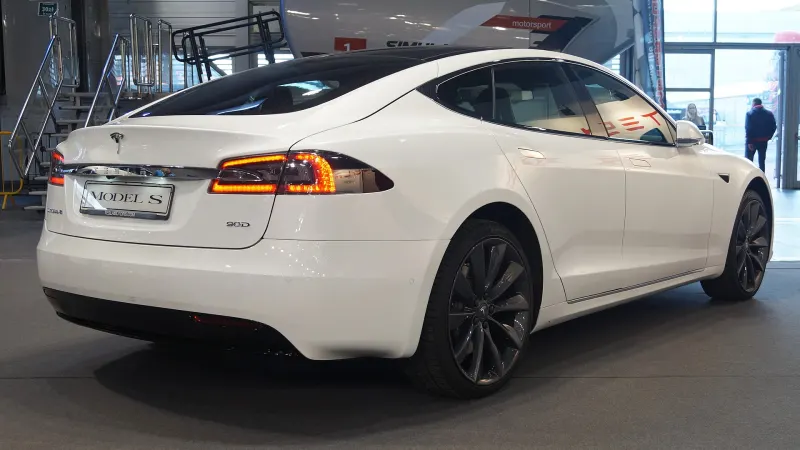
Model 3, Model Y and eligible Cybertruck configurations (Premium AWD and Cyberbeast only) qualify. Model S and Model X do not — both were removed from the program worldwide in March 2026. If a page still promises an S/X referral perk, it's out of date. Check the exact wording for your model on the models page before you rely on anything.
3 — Check what local incentive stacks on top
The referral reward is separate from — and usually stacks with — a government incentive. None of this shows up on a referral code by itself — you have to check your country page for it:
- US: the federal clean-vehicle credit, taken at point of sale.
- UK: low company-car Benefit-in-Kind (BiK) tax.
- Germany: the 0.25% Dienstwagen company-car rule.
- France: the bonus écologique — Berlin-built Model Y qualifies, Shanghai-built Model 3 doesn't.
- Netherlands: bijtelling, the reduced company-car tax addition.
- Spain: Plan Auto+ 2026, the successor to Plan MOVES III.
- Australia: the FBT exemption for eligible EVs on a novated lease.
4 — Click the link before you touch the configurator
This is the step that actually loses people money. Tesla attaches the referral to your session the moment you open a valid ts.la/… link — and it cannot be added after a Reservation Number exists. Build your car first, and there's a real chance you order with no code at all.
Why the order matters, not just the list
Skip step 1 or 2 and you might discover mid-configuration that your model or market isn't what you assumed — annoying, but recoverable; you can still back out and re-check. Skip step 4, though, and you lose the referral permanently, because there is no way to attach it retroactively once an order exists. That asymmetry is why "click first" is the one truly non-negotiable item here; everything else you can still fix after the fact.
A dated example
Today (July 13, 2026), a buyer configuring a Model Y in the Netherlands is a good test of this checklist: the country's Supercharging-based reward is mid-transition toward a possible FSD trial after the RDW's April 2026 approval, so steps 1 and 4 matter more than usual there — check what the order summary actually shows before paying, not what a page told you last month.
Compare that to a straightforward case: a US buyer configuring a Model 3 today clears the checklist in under a minute — the benefit type hasn't moved (FSD trial), the model is fully eligible, the federal credit is a known separate stack, and the only real action item is clicking the link before opening the configurator. The checklist takes longer in markets that are changing and almost no time at all in markets that are stable — which is exactly why step 1 (know which kind of market you're in) comes first.
Once you've cleared all four, the exact click-by-click flow is in how to apply a code at checkout.
Questions this raises
Do I need to check anything before clicking a Tesla referral link?
Yes — confirm your country's benefit type, that your model is still eligible (Model S and Model X are not, since March 2026), and any local incentive that stacks on top. Then click the link before you configure.
What happens if I configure my car before clicking a referral link?
You risk ordering with no referral at all. Tesla can't attach a code once a Reservation Number exists, so the link has to come first.
Related reading
- How-toHow to apply a Tesla referral code at checkout (2026, step by step)
- ExplainerTesla referral code vs referral link — what's the difference?
- ComparisonWhat a Tesla referral code is worth by country in 2026
Pillar: Home (referral code). Program facts verified July 13, 2026; sources are linked from each country page and the footer.